

FleetGit
FleetGit integrates with Motive to automatically sync fleet data, maintenance records, and compliance workflows into a single, real-time management platform.
Description
FleetGit is a platform designed to centralize fleet maintenance, compliance, and operational data into one streamlined system.
By connecting Motive’s telematics, safety, and compliance data with FleetGit, fleets can automatically sync vehicle information, driver activity, and diagnostics—eliminating manual data entry and reducing errors. This integration transforms raw data into actionable insights, helping fleet managers stay ahead of maintenance, improve safety, and optimize overall operations.
With real-time visibility and automated workflows, Motive and FleetGit empower teams to increase uptime, reduce costs, and make smarter, data-driven decisions across the fleet.
When these features are enabled, they allow you to:
Key Benefits
When these features are enabled, they allow you to:
- Centralized Fleet Data: – Access vehicle, driver, maintenance, and compliance data in one place.
- Proactive Maintenance Management: – Track faults, inspections, and asset health to reduce downtime.
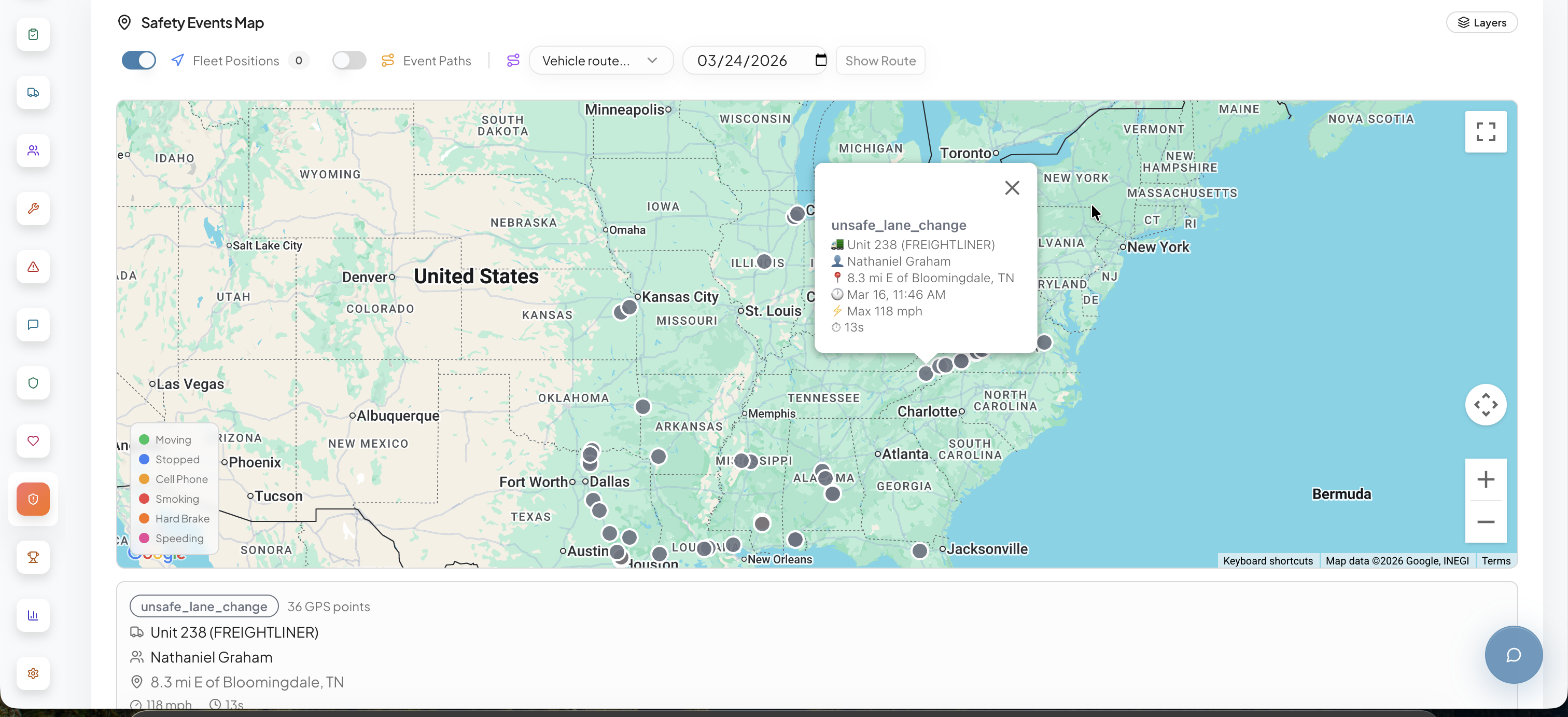
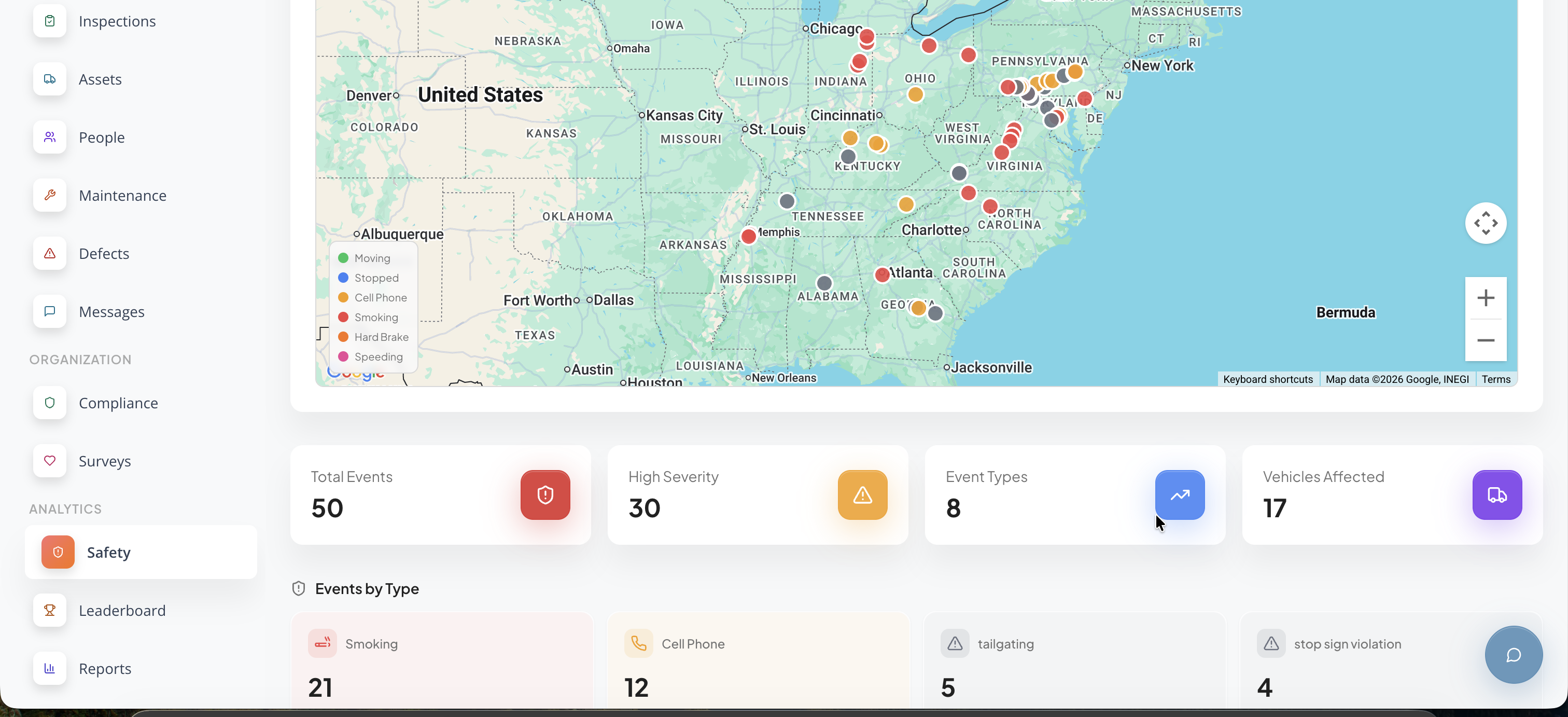
- Enhanced Safety Oversight: – Monitor driver behavior, scorecards, and safety events in real time.
- Simplified Compliance Tracking: – Automatically sync HOS, logs, and inspection data for audit readiness.
Shared data
Data
Users
Users
Assets
Assets
Vehicles
Vehicles
Vehicle Locations
Vehicle Locations
Logs
Logs
Speeding Events
Speeding Events
Driver Performance Events
Driver Performance Events
Inspection Reports
Inspection Reports
Vehicle Gateways
Vehicle Gateways
Fault Codes
Fault Codes
Hours of Service & Available Times
Hours of Service & Available Times
Score Card Summary
Score Card Summary


Data
Users
Users
Assets
Assets
Vehicles
Vehicles
Vehicle Locations
Vehicle Locations
Logs
Logs
Speeding Events
Speeding Events
Driver Performance Events
Driver Performance Events
Inspection Reports
Inspection Reports
Vehicle Gateways
Vehicle Gateways
Fault Codes
Fault Codes
Hours of Service & Available Times
Hours of Service & Available Times
Score Card Summary
Score Card Summary
Media
Additional Details
Refer to these resources for setup and support details:
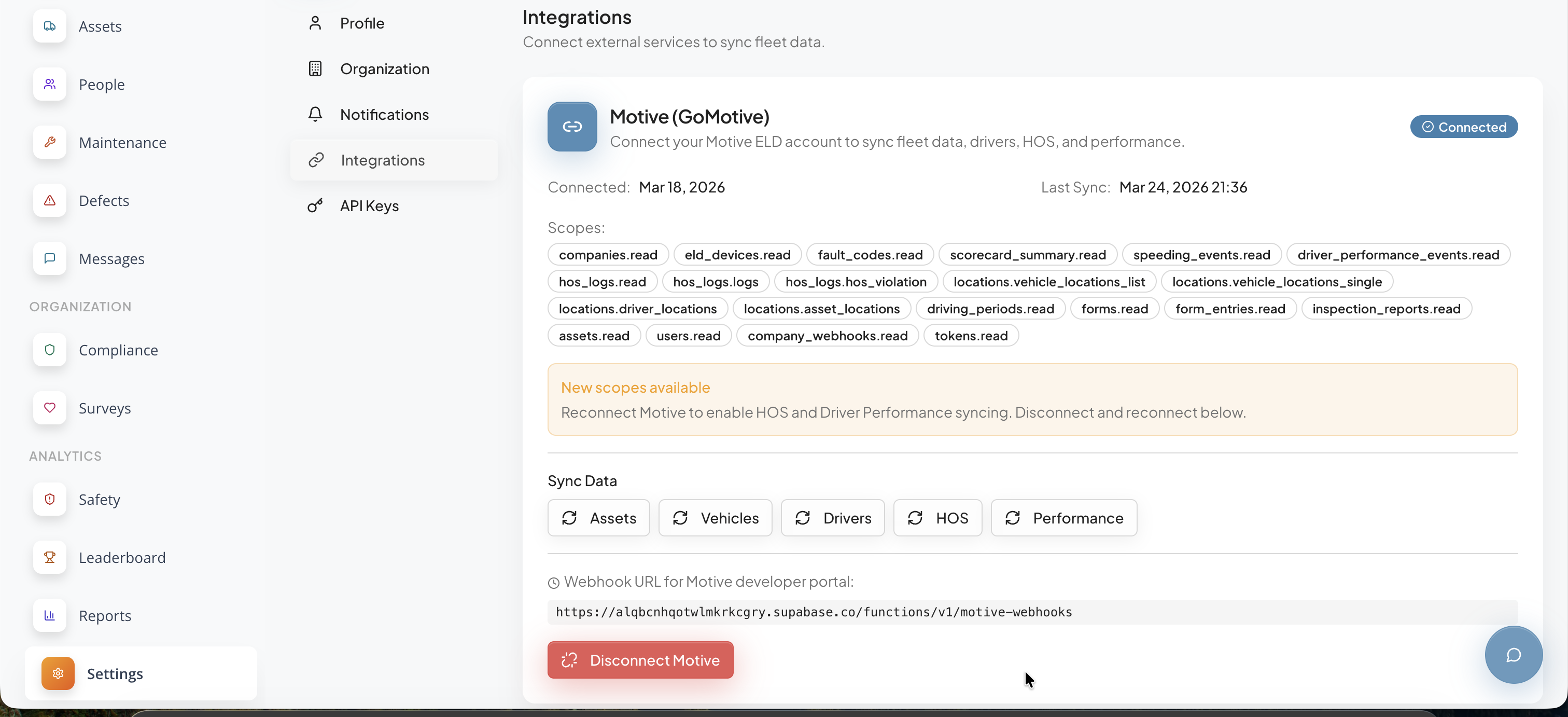
Once the integration is connected, FleetGit begins automatically syncing data from Motive, including vehicles, drivers, HOS logs, inspections, and performance metrics, making it immediately available across the platform. Users can navigate to the relevant modules such as Assets, People, Inspections, and Compliance to view and manage the synced data within their existing workflows.
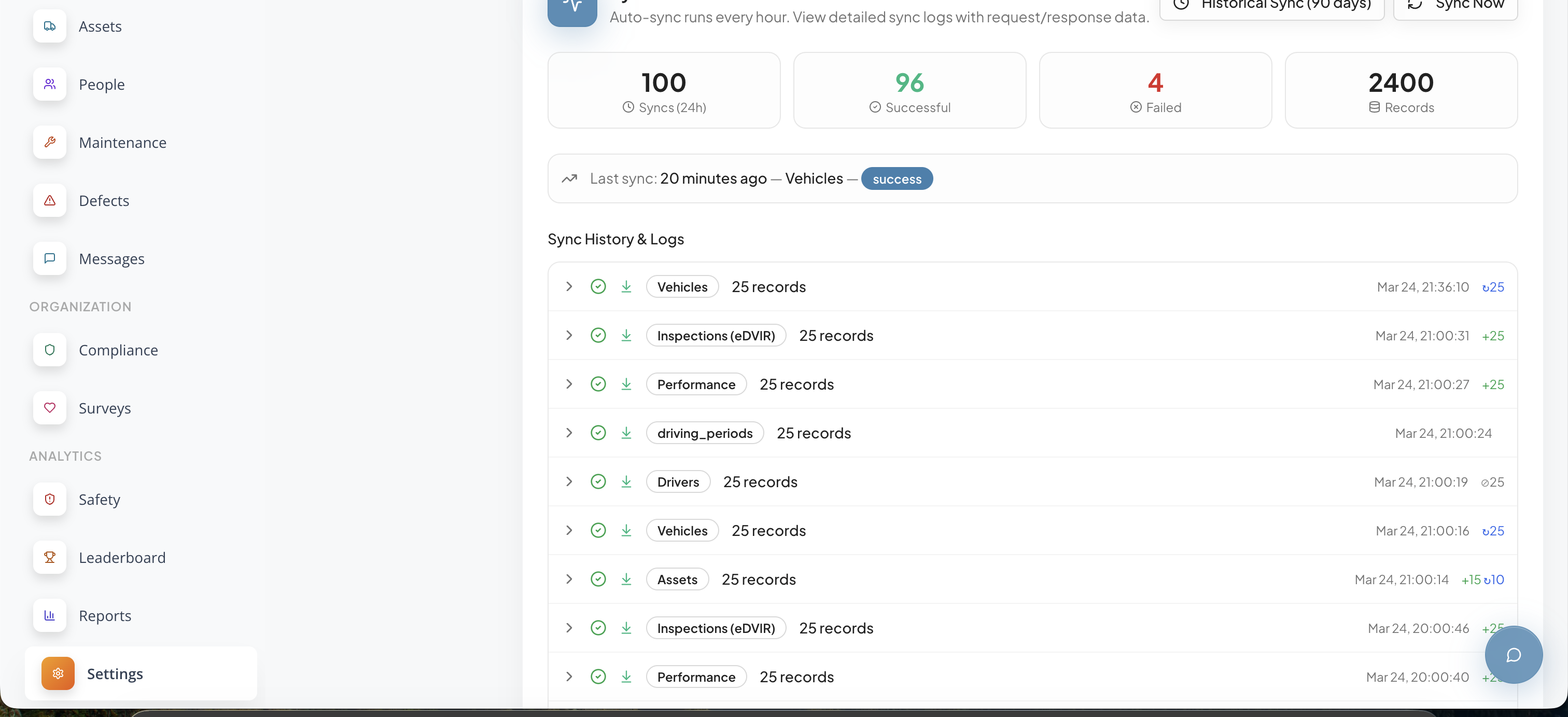
Within the Integrations settings, users have control over which data categories are synchronized, allowing them to enable or disable syncing for assets, vehicles, drivers, HOS, and performance depending on their operational needs. Data is refreshed automatically on an hourly basis, while a manual “Sync Now” option is available for on-demand updates.
The Sync Status Dashboard provides full visibility into integration activity, including successful and failed syncs, records processed, and detailed logs for troubleshooting. If any issues occur, such as expired tokens or missing scopes, users can reconnect the integration directly from the settings page to restore full functionality and ensure continuous data flow.